A fresh look for Cuckoo
Making real-time translation easier before, during, and after every meeting.
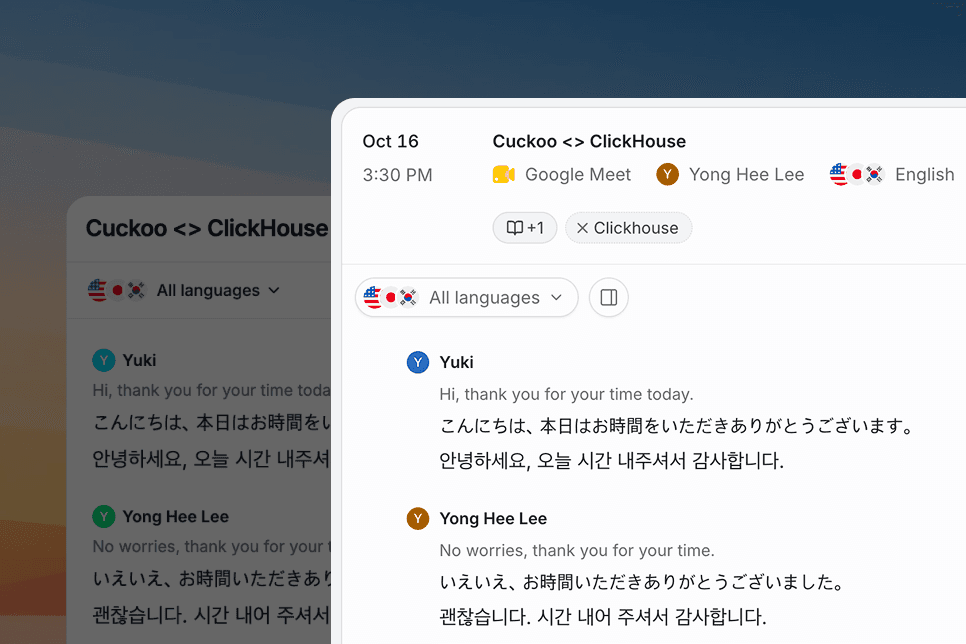
Following a meeting in another language takes attention. You're listening to the person speaking, watching a presentation, and reading the translation to keep up. The conversation keeps moving while you do all three.
We want Cuckoo to make that feel easier. Translation should be easy to start, comfortable to follow, and simple to share with anyone who needs it.
That thinking guided our latest refresh of Cuckoo's web and desktop apps. We've made a series of small improvements that give the translation more room and make the steps around it feel more natural.
Giving translation more space
During a meeting, your attention belongs with the conversation. The interface should help you follow along without asking you to keep managing it.
Customize and Ask now open in floating panels, leaving more room for the translation when you don't need them. When you do, you can open either without losing sight of what's being said.
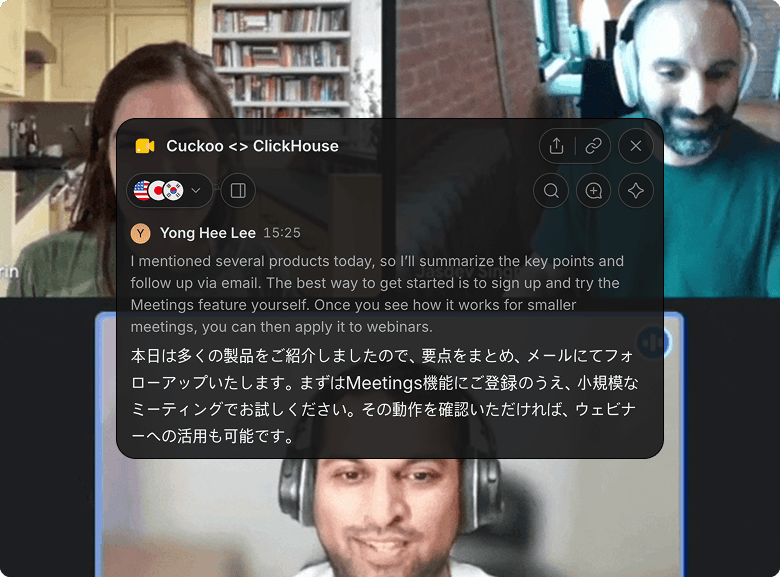
On desktop, the overlay is now the main meeting experience. It sits beside your call so you can follow the translation while watching a presentation or demo. You can change languages, search, and share from the same place.
The idea is simple: keep the conversation in view, and keep the tools within reach.
Making the start feel simpler
The moments before a meeting are often busy. You're finding the link, checking who's joining, and getting ready for the conversation.
Home is now organized around your calendar. From each upcoming meeting, you can turn on Cuckoo, choose languages, share the translation, and join the call. On the Meetings page, you can also edit languages and copy a translation link right from the list.
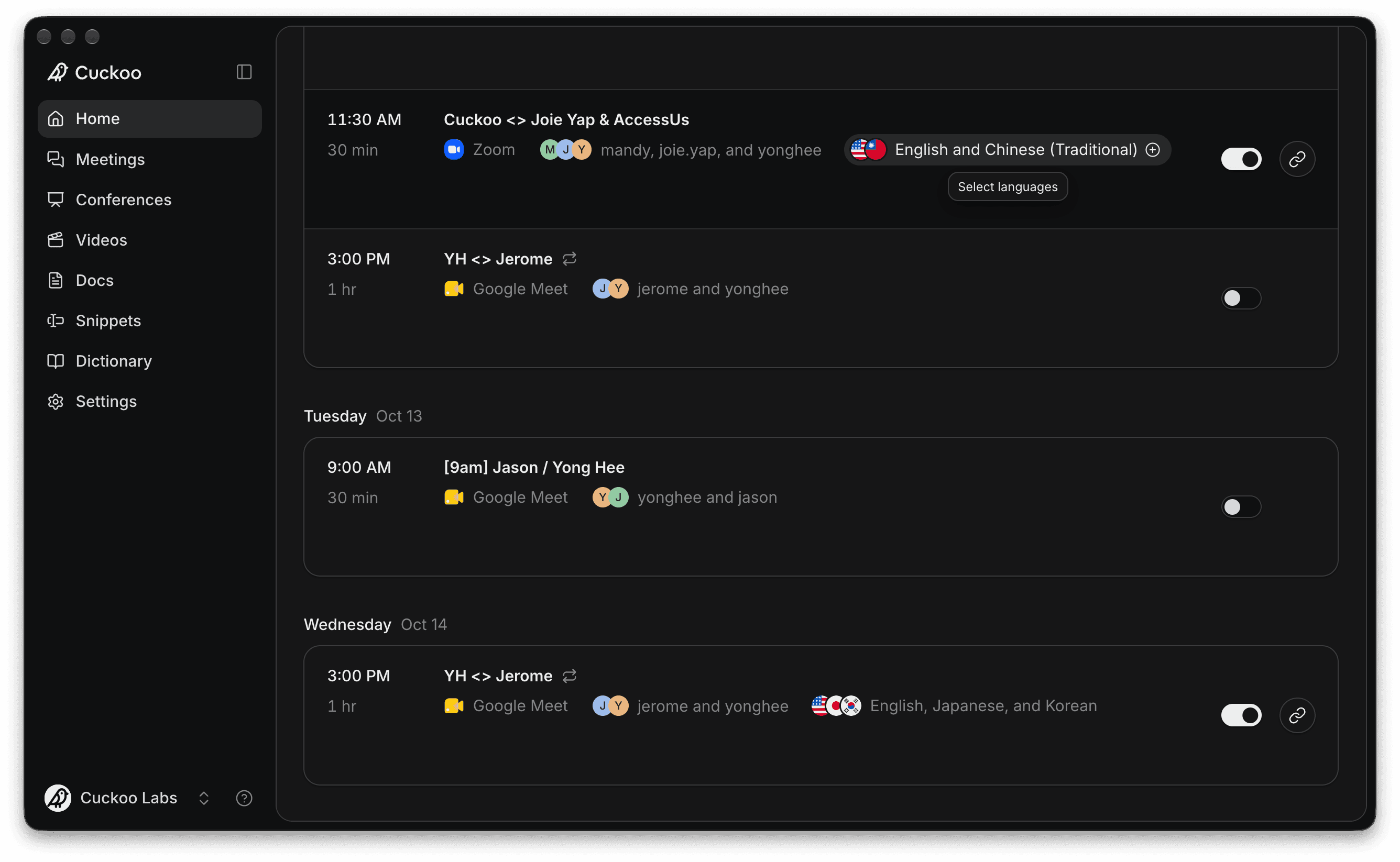
These are small steps, but they're steps you repeat. Making them easier helps you arrive ready to listen.
Helping everyone follow along
Oftentimes the person who needs the translation is someone else in the meeting. Getting it to them should be straightforward.
Sharing now brings the translation link, access settings, and a QR code together in one place. Attendees also get a refreshed reading experience when they open the link.
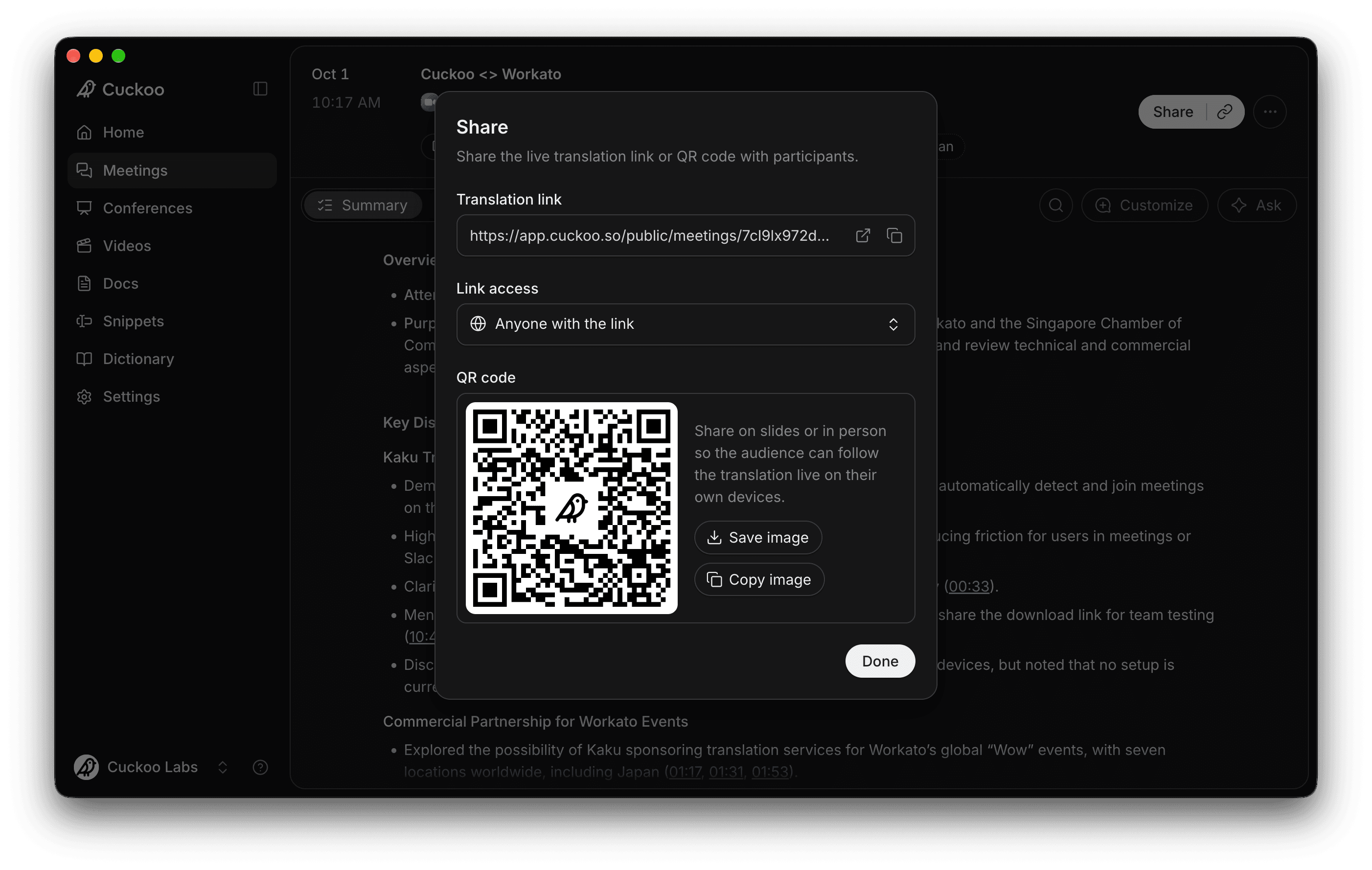
Whether you're sharing in a call or putting a QR code on a slide, the purpose is the same: help someone join the conversation with less interruption.
Making it easier to pick things back up
After a meeting, you may need to revisit a decision, check a detail, or find out what happens next.
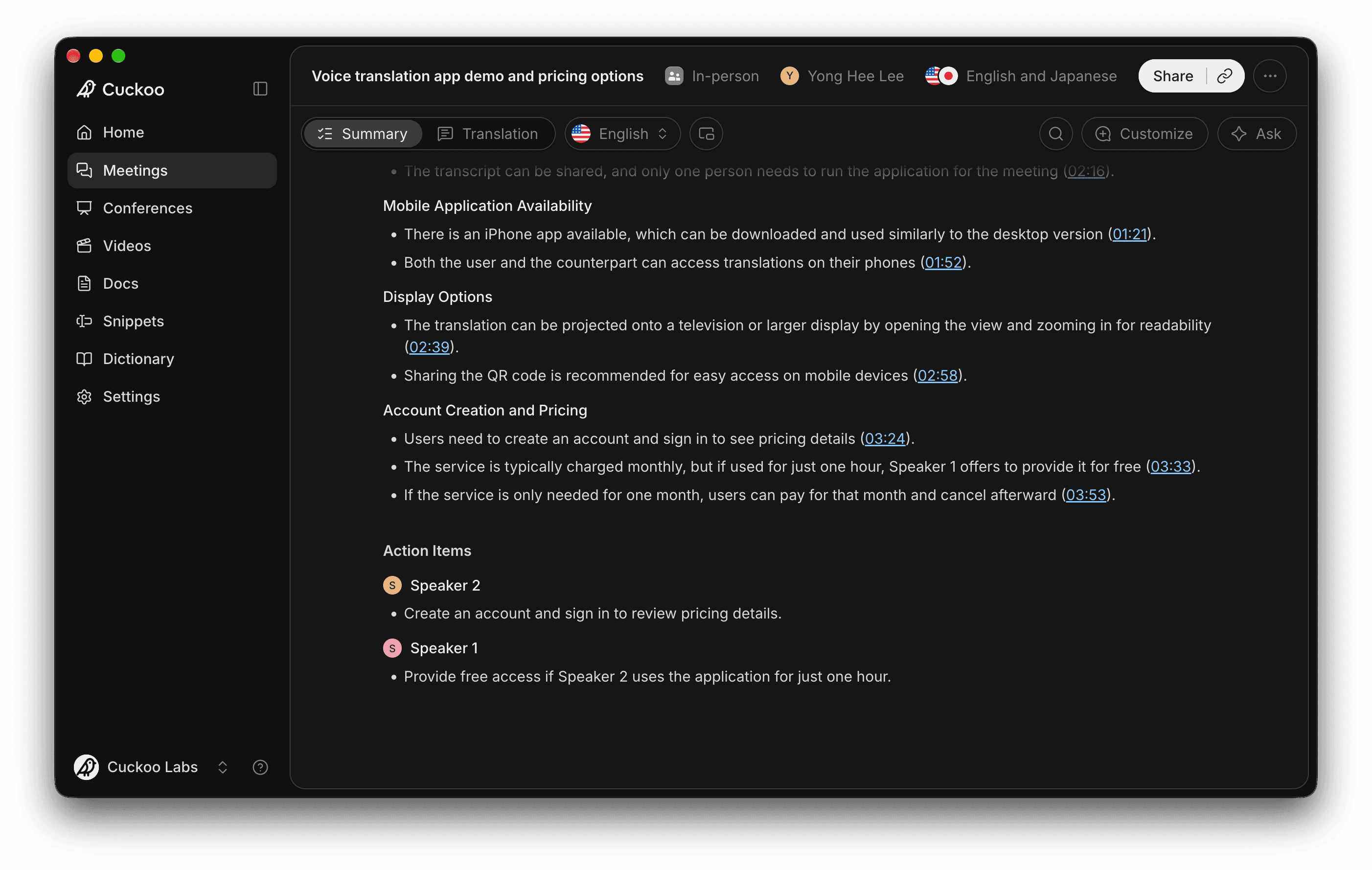
Summaries now get more space. Key discussions are laid out point by point, and action items are grouped by owner. Timestamps take you back to the relevant moment in the translation when you need more context.
We've also added smaller touches throughout, including dark mode, font size settings, and keyboard shortcuts.
Try the new Cuckoo
Together, these changes make Cuckoo easier to settle into, from getting ready for a meeting to following up after it.
The refresh is live at app.cuckoo.so. To try the new desktop experience, download the latest version.
I'd love for you to try it out and let me know how it feels. Reply to any of our emails, or reach me at yonghee@cuckoo.so.